📋 Table of Contents
What Is a VPN?
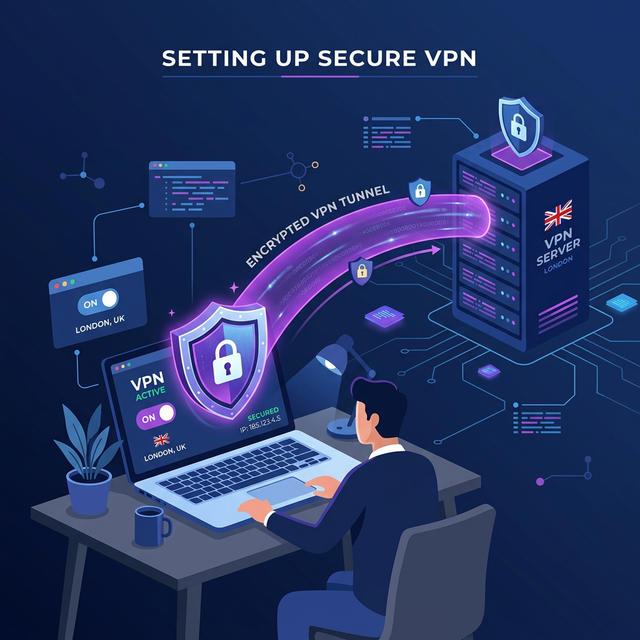
A Virtual Private Network (VPN) encrypts your internet connection and routes it through a secure server, hiding your IP address and online activity from your ISP, hackers, and websites. Think of it as a private tunnel for your internet traffic.
Why Use a VPN?
VPNs protect you on public WiFi, prevent ISP tracking, bypass geo-restrictions for streaming, and add a layer of security when browsing. If you care about online privacy, a VPN is essential. Also make sure to create a strong password for your VPN account.
Choosing a VPN Provider
Look for: no-logs policy, fast speeds, kill switch, and servers in many countries. Reputable options include NordVPN, ExpressVPN, and Surfshark. Free VPNs often sell your data — avoid them for privacy.
Set Up VPN on Windows
Most VPN providers offer a Windows app. Download it from the provider's website, install, log in, and click "Connect." For manual setup: go to Settings → Network & internet → VPN → Add VPN. Enter the server address, VPN type (usually IKEv2 or WireGuard), and your credentials.
Set Up VPN on Mac
Download your VPN provider's Mac app from their website or the App Store. For manual setup: go to System Settings → VPN → Add VPN Configuration. Select the protocol type (IKEv2 recommended), enter server address and credentials.
Set Up VPN on Mobile
Download your VPN app from the App Store (iOS) or Google Play (Android). Open the app, sign in, and tap Connect. Both iOS and Android will ask permission to add a VPN configuration — tap Allow. The VPN icon will appear in your status bar when connected.
VPN Best Practices
Always use VPN on public WiFi (coffee shops, airports, hotels). Enable the kill switch feature to block internet if VPN drops. Choose servers close to your location for best speed. Use WireGuard protocol for the fastest connections.
A VPN doesn't make you completely anonymous. Avoid illegal activities and don't rely solely on VPN for security. Use it alongside good practices like strong passwords and ad blocking.
Frequently Asked Questions
Do VPNs slow down internet speed?
Slightly, usually 10-20% due to encryption overhead. Premium VPNs with WireGuard protocol minimize speed loss. If your internet is already slow, fix that first.
Are free VPNs safe?
Most free VPNs are not recommended — they often log and sell your data, show ads, or have weak encryption. Paid VPNs ($3-5/month) are much safer.