📋 Table of Contents
Common Bluetooth Problems
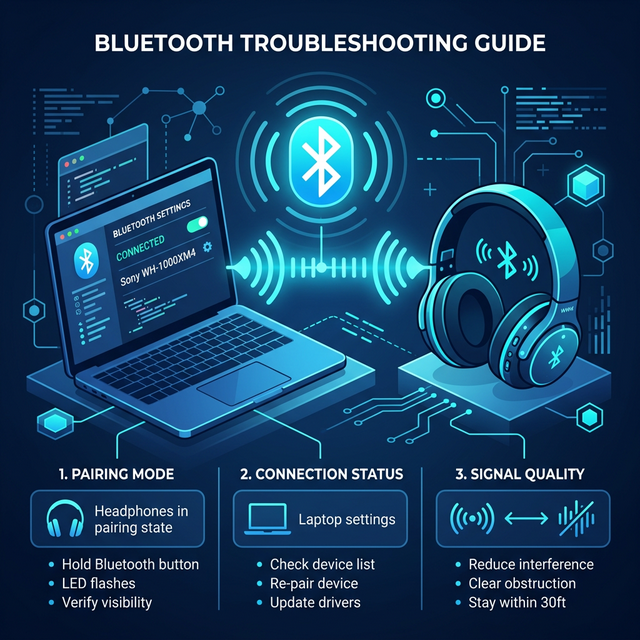
Bluetooth issues on Windows include devices not pairing, audio cutting out, Bluetooth missing from settings, and peripherals disconnecting randomly. These usually stem from driver issues, service conflicts, or interference.
1. Toggle Bluetooth Off and On
Open Settings → Bluetooth & devices and toggle Bluetooth off. Wait 10 seconds, then toggle it back on. This resets the Bluetooth adapter and often fixes minor connection glitches.
2. Run Bluetooth Troubleshooter
Go to Settings → System → Troubleshoot → Other troubleshooters. Find "Bluetooth" and click "Run." Windows will automatically detect and fix common Bluetooth problems. Also check our guide to fix WiFi not connecting for similar network issues.
3. Update Bluetooth Driver
Open Device Manager, expand "Bluetooth," right-click your adapter, and select "Update driver." Choose "Search automatically." If that doesn't work, visit your laptop manufacturer's website for the latest driver.
4. Restart Bluetooth Service
Press Windows + R, type services.msc. Find "Bluetooth Support Service," right-click it, select "Restart." Also set its Startup type to "Automatic" to ensure it starts with Windows.
5. Remove and Re-pair Device
Go to Settings → Bluetooth & devices, find the problematic device, click the three dots, and select "Remove device." Then put your Bluetooth device back in pairing mode and pair it fresh.
6. Check Airplane Mode
Make sure Airplane Mode is off: Settings → Network & internet → Airplane mode. Airplane mode disables all wireless connections including Bluetooth. If you recently used it on a flight, you may have forgotten to turn it off.
7. Reset Network Settings
As a last resort, go to Settings → Network & internet → Advanced network settings → Network reset. This reinstalls all network adapters including Bluetooth. Your PC will restart and you'll need to re-pair all devices.
Network reset removes all saved WiFi passwords and paired Bluetooth devices. Write down your WiFi password before proceeding.
Frequently Asked Questions
Why does my Bluetooth keep disconnecting?
Usually caused by power management settings. Open Device Manager, right-click your Bluetooth adapter, go to Power Management tab, and uncheck "Allow the computer to turn off this device to save power."
Can I add Bluetooth to a desktop PC?
Yes! Buy a USB Bluetooth adapter (dongle) for about $10-15. Simply plug it in and Windows will install drivers automatically.